

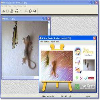
Transform digital photos into stunning paintings using various artistic styles and materials effortlessly
Transform digital photos into stunning paintings using various artistic styles and materials effortlessly
Vote (11 votes)
Program license Trial version
Developer Vpainter
Version 5
Works under Windows
Vote
(11 votes)
Developer
Vpainter
Works under
Windows
Program license
Trial version
Version
5
Pros
- Easy-to-use interface with minimal learning curve
- Wide variety of painting styles and textures
- Fast rendering, even with high-resolution photos
- No artistic or technical background needed
Cons
- Limited manual editing or brush options
- Lacks advanced customization for expert users
- Results can resemble preset filters if overused
Quickly transform photos into stunning digital paintings with artistic filters.
Overview
Virtual Painter is a creative tool for Windows that transforms digital photos into various painting styles with just a few clicks. Instead of demanding complex editing skills or intricate controls, this software automates the process, delivering visually impressive results with minimal effort. Users looking to add an artistic flair to their images will appreciate Virtual Painter’s accessible approach and range of effects.
Feature Set
Virtual Painter provides 16 distinct painting styles, including watercolor, oil, acrylic, and pencil, each designed to emulate traditional artistic techniques. These presets act as filters, instantly reinterpreting your photos into artwork that mimics the nuances of hand-painted pieces. Additionally, the program allows selection of different “materials” as a base for the painting, such as canvas, wood, or stucco, influencing the overall texture and final look.
Full-resolution images can be loaded directly from a digital camera, scanner, or computer, supporting various popular file formats. Before applying changes, users can preview the effects and tweak certain parameters to refine the intensity or texture. The interface is straightforward and user-friendly, focusing on convenience for both beginners and those seeking a quick creative transformation.
Performance and Usability
The software excels in speed, processing even large photos within seconds. Its resource requirements are moderate, running well even on less powerful systems. The real-time preview functionality enables quick experimentation, making adjustments painless and efficient.
The user interface prioritizes simplicity, with clear icons and accessible settings. There’s no steep learning curve, and no prior experience with graphic editing tools is necessary. However, advanced users may find the customization options—beyond the included filters and materials—to be somewhat limited compared to more robust digital art suites.
Artistic Results
Virtual Painter produces visually pleasing representations of classic art forms, from rich oils to delicate watercolors. The added option to adjust material textures enhances the realism of each piece. While the filters offer variety, truly unique outcomes may require some experimentation across different styles and texture combinations.
Suitability
This software is ideal for users interested in instantly stylizing photographs for personal projects, social media, greeting cards, or even simple prints. Those seeking to create completely custom digital paintings from scratch will need a more feature-rich platform, since the creative process here revolves around photo transformation rather than manual painting.
Pros
- Easy-to-use interface with minimal learning curve
- Wide variety of painting styles and textures
- Fast rendering, even with high-resolution photos
- No artistic or technical background needed
Cons
- Limited manual editing or brush options
- Lacks advanced customization for expert users
- Results can resemble preset filters if overused


